How to Avoid Embarrassing Mic Failures at Company Events

March 2, 2026

A flawless company event relies heavily on seamless communication, and the microphone is often the linchpin in making that possible. From keynote speeches to panel discussions, a malfunctioning mic can derail presentations, frustrate speakers, and leave audiences disengaged. Poor audio quality or sudden failures can not only embarrass the presenter but also reflect poorly on the organization hosting the event. Knowing how to avoid embarrassing mic failures at company events is critical if you want to maintain your professional appearance.

Understand Your Mic Equipment

The first step toward avoiding mic issues is to understand the equipment you’re working with. Different types of microphones, such as wired, wireless, handheld, lapel, and headworn mics, are suited for different types of events and presentations. For instance, lapel microphones are ideal for hands-free speaking during presentations, while handheld mics are better for Q&A sessions or speeches that require mobility. Identifying the right microphone for the occasion is key to setting up the right audio infrastructure.

Take the time to familiarize yourself with the technical specifications and operational requirements of the chosen microphone. This includes understanding battery life for wireless types, proper positioning to eliminate feedback or distortion, and how to handle adjustments during live events. A lack of familiarity with the equipment often leads to errors, increasing the risk of embarrassing sound malfunctions.

How to Avoid Embarrassing Mic Failures at Company Events

Perform Thorough Sound Checks

One of the simplest but most overlooked steps in avoiding microphone failures is conducting a thorough sound check before the event. A sound check gives you the opportunity to identify and address potential issues with volume, clarity, and feedback. Start by testing each microphone to make sure it’s functioning properly. Enlist the help of a colleague or technician to walk around the event space while using the mic to verify reliable sound in all areas of the room.

Check for interference with wireless microphones, particularly in venues with a lot of electronic devices or overlapping frequencies. Ensure that all devices are adequately charged or have fresh batteries. Testing the audio at the exact time of day that the event will occur can also help you account for variations in the environment, such as background noise levels or ambient acoustics.

Optimize the Acoustics of Your Venue

The venue itself plays a significant role in determining the quality of your audio equipment’s performance. Poor acoustics, echoes, and ambient noise can interfere with the clarity of microphone output, even if the device itself is functioning seamlessly. To tackle this, assess the acoustics of the location in advance. If possible, work with an audio technician to adjust speaker placement and ensure the venue has the necessary equipment to support clear communication.

For large spaces or outdoor events, additional speakers or amplifiers may be required to maintain even sound distribution. Positioning microphones away from reflective surfaces, like windows or bare walls, can reduce echo and enhance the delivery of speech or music. Pay equal attention to noise-canceling measures, such as using directional microphones to isolate the speaker’s voice and minimize ambient sounds.

Train Speakers and Presenters

Even the best microphone setup won’t prevent failure if speakers and presenters are unsure how to use the equipment. Providing basic training to the individuals who will be using the mics can go a long way toward reducing errors during the event. Show them how to hold handheld microphones correctly; the best method to hold the mic is not too far from the mouth and not too close to avoid distortion. Teach them to project their voices naturally into the mic without shouting.

If you’re using lapel or headworn microphones, ensure presenters know how to position them correctly for optimal sound capture. Explain the importance of minimizing movement or touching the mic, which can result in distracting noise. Give speakers an opportunity to practice their presentations with the microphones during the sound check so they feel confident and any potential issues can be addressed ahead of time.

Have Backup Equipment on Hand

Preparedness is the hallmark of a professional event, and having spare equipment available is non-negotiable. Despite meticulous planning and sound checks, technical failures can still occur. For this reason, it’s wise to have backup microphones, batteries, and cables readily accessible during the event.

Wireless microphones may encounter unexpected interference or battery depletion, so having a wired microphone as a backup can save the day in such scenarios. Backup equipment should be stored in an easily accessible location near the stage or speaking area so that it can be swapped out quickly with minimal interruption. Additionally, designate a team member to remain on standby to handle any technical emergencies that arise.

Work with Professional Audio Technicians

While smaller company events may not always require professional audio support, hiring certified audio technicians can make a substantial difference for larger or high-stakes occasions. These experts have the skills and experience to handle complex sound systems, troubleshoot unexpected issues, and ensure that the overall audio setup is optimal for the venue and event type.

Audio technicians will also stay on-site during the event to monitor sound levels and resolve problems as they happen. Their presence allows event organizers to focus on other responsibilities instead of worrying about technical difficulties. Investing in professional technical support is especially worthwhile for events like annual general meetings, product launches, or press conferences where smooth execution is paramount.

How to Avoid Embarrassing Mic Failures at Company Events

Test and Monitor Throughout the Event

Even after a successful sound check, it’s important to remain vigilant throughout the event. Ensure that someone from the event team, ideally a technician, monitors the microphones and sound system in real-time. They can adjust levels, troubleshoot interference, or switch to backup equipment as needed. Continuous monitoring ensures that issues are resolved promptly, minimizing potential disruptions.

Speakers should be encouraged to report any problems as soon as they arise so they can be addressed immediately. Having a clear chain of communication between the event team, technical staff, and presenters will help maintain smooth operations and keep the audience engaged.

Avoid Embarrassing Moments with Proper Planning

Preventing microphone failures at company events ultimately comes down to preparation, technical expertise, and attention to detail. From selecting the right equipment to conducting rigorous sound checks and training presenters, each step plays a crucial role in ensuring effective communication and a professional atmosphere. By implementing these practices, you can avoid awkward disruptions and deliver an event that leaves a lasting impression for all the right reasons.

Effective audio management may require time and effort, but the payoff is well worth it. Professionals who take sound quality seriously demonstrate their commitment to excellence and earn the confidence of their audience. With proper planning and execution, microphone malfunctions will be a thing of the past at your company’s events.

If no one at your company event has experience with audio production, then you may need to call in the experts to make sure your event goes off without a hitch. At Audio Engineers NW, we offer festival audio production in Seattle ; if you have any questions about how we can enhance your event’s sound quality, don’t hesitate to give us a call.

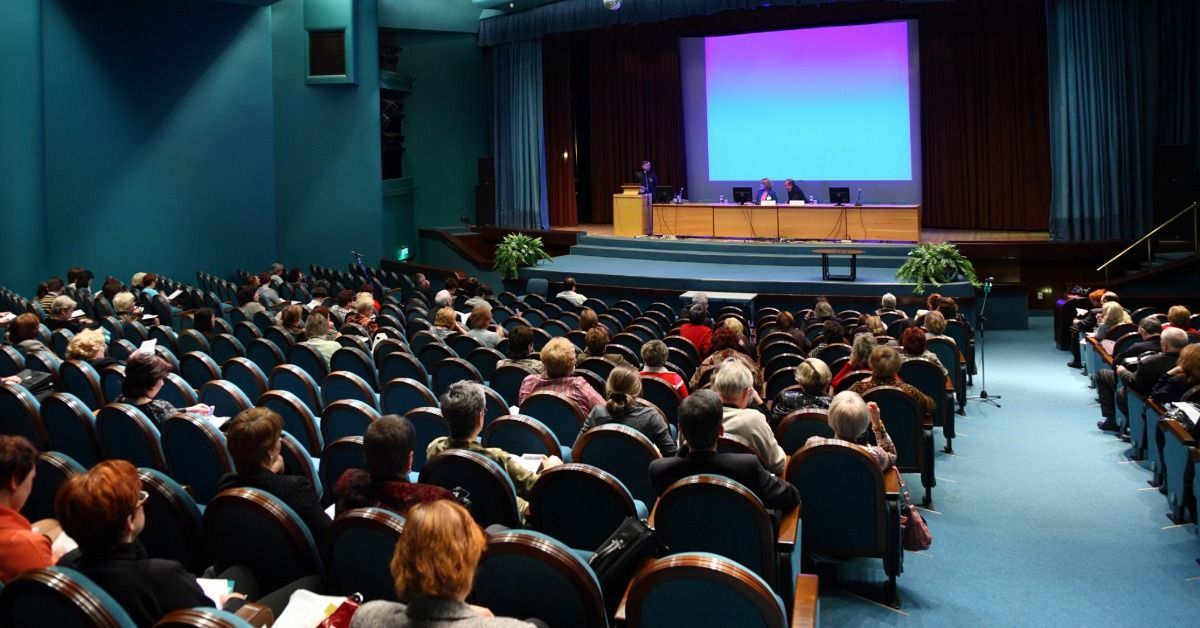
On a stage, one person stands at a podium and two sit at a table in front of a projection screen.
March 12, 2026
Cheap AV is built on poor tradeoffs that can derail your schedule and distract your audience. See how AV shortcuts can undermine your conference and reputation.
View from behind an audience watching a presenter at a professional event. Blue light illuminates th
By Sean Walker January 12, 2026
Live sound production eliminates distractions and enhances clarity. Connect with your audience at your corporate keynote with professional audio.
By Sean Walker December 4, 2025
Here is the FOH article about our show with Mudhoney and Clay Walker
By Sean Walker October 31, 2025
Pro Tip:
By Sean Walker December 29, 2024
Do you use "One Stop Shops" Thinking they are easier for your events?
By Sean Walker December 29, 2024
Here is an article written by our good friend and trusted Systems Engineer Michael Lawrence about the 50,000 person show we did in Seattle for the 4th of July!
By Sean Walker December 29, 2024
Choosing a Corporate Audio Partner can be hard. Here's how to make it easy!
By Sean Walker December 29, 2024
We have all seen these documents shared as the "Right" way to get quotes for your audio.
By Sean Walker November 8, 2024
Kara, Panther, GSL, KSL, XSL, HDL, Leopard Oh My!
By Sean Walker November 8, 2024
The Best Seattle Audio Companies!